Finished a game? See what to play next.
A game is what you do in it. You’ll see games that keep what you enjoyed doing, and what each one adds.
Or pick one
- Grand Theft Auto V Legacy
- Terraria
- Garry’s Mod
- Black Myth: Wukong
- ELDEN RING
- Cyberpunk 2077
- Left 4 Dead 2
- Stardew Valley
- Red Dead Redemption 2
- The Witcher 3: Wild Hunt
- Euro Truck Simulator 2
- Baldur’s Gate 3







More gamesFewer games
- Phasmophobia
- ARK: Survival Evolved
- Call of Duty®
- Geometry Dash
- PAYDAY 2
- The Forest
- Rocket League®
- Hollow Knight
- Valheim
- Don’t Starve Together
- Monster Hunter: World
- Lethal Company
- Dying Light
- The Binding of Isaac: Rebirth
- Portal 2
- Palworld
- BeamNG.drive
- DARK SOULS™ III
- Hollow Knight: Silksong
- Project Zomboid
- Fallout 4
- Bloons TD 6
- 7 Days to Die
- Subnautica
- R.E.P.O.
- Hearts of Iron IV
- No Man’s Sky
- Raft
- Sid Meier’s Civilization® VI
- Deep Rock Galactic
- Undertale
- People Playground
- The Elder Scrolls V: Skyrim Special Edition
- Sekiro™: Shadows Die Twice - GOTY Edition
- Hogwarts Legacy
- PEAK



























How it works
Say you just finished Cyberpunk 2077.
In it you level up a character and shoot in first person, so Next Up looks for games that keep those and add something new. One card from that list:
Cloudpunk
What carries over
- Keeps: level up a character
- Doesn’t keep: shoot in first person
What changes
New here: drive, a female lead
Why you’d like it
Cloudpunk shares Cyberpunk 2077’s neon cyberpunk city setting, but you spend one night as a delivery driver flying a hover car.
In Maktala: Slime Lootfest you: watch numbers grow, collect loot
375 of 20,285 games share what you do. These 10 fit best.

Your party Games like Maktala: Slime Lootfest
Keeps what you do. Adds something new.
Zad Archery
See on Steam: Zad Archery (opens in a new tab)- Keeps: watch numbers grow
- Keeps: collect loot
New here: jump between platforms, shoot arrows
Why you’d like it: Like Maktala, it has a big skill tree and loot drops that power you up, but here you fire arrows at targets.
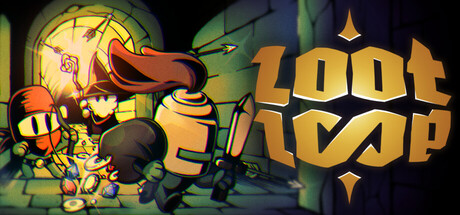
Loot Loop
See on Steam: Loot Loop (opens in a new tab)- Keeps: watch numbers grow
- Keeps: collect loot
New here: run a simulation, a relaxed pace
Why you’d like it: Loot Loop also pairs collecting loot with a skill tree, but its dungeon runs last just seconds.
Bones and Coins
See on Steam: Bones and Coins (opens in a new tab)- Keeps: watch numbers grow
- Keeps: collect loot
New here: crawl through dungeons, medieval times
Why you’d like it: Bones and Coins also turns loot into upgrades, but you build a hero party and send it through skeleton dungeons.


Reserve
Show 7 moreShow fewer
Unboxathon
See on Steam: Unboxathon (opens in a new tab)- Keeps: watch numbers grow
- Keeps: collect loot
New here: run a simulation, a cute look
Goblin Buster: Incremental Tower Defense
See on Steam: Goblin Buster: Incremental Tower Defense (opens in a new tab)- Keeps: watch numbers grow
- Doesn’t keep: collect loot
New here: build defenses against waves, a dark fantasy world
Agrivore: Incremental Farming
See on Steam: Agrivore: Incremental Farming (opens in a new tab)- Keeps: watch numbers grow
- Keeps: collect loot
New here: play arcade-style, a relaxed pace
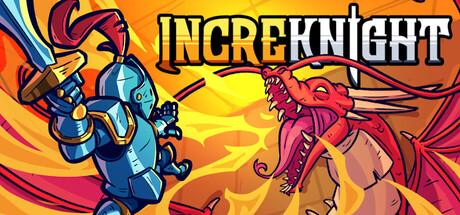
IncreKnight
See on Steam: IncreKnight (opens in a new tab)- Keeps: watch numbers grow
- Doesn’t keep: collect loot
New here: play arcade-style, a cute look
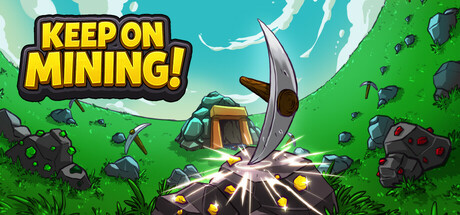
Keep on Mining!
See on Steam: Keep on Mining! (opens in a new tab)- Keeps: watch numbers grow
- Keeps: collect loot
New here: mine, a relaxed pace
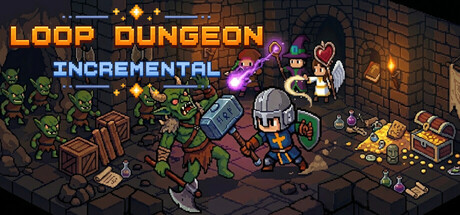
Loop Dungeon - Incremental
See on Steam: Loop Dungeon - Incremental (opens in a new tab)- Keeps: watch numbers grow
- Keeps: collect loot
New here: run a simulation, a relaxed pace
Legion Breaker
See on Steam: Legion Breaker (opens in a new tab)- Keeps: watch numbers grow
- Doesn’t keep: collect loot
New here: play arcade-style, a relaxed pace




Played one of these? See what to play after it: Zad ArcheryLoot LoopBones and CoinsAgrivore: Incremental FarmingKeep on Mining!Legion Breaker
AI wrote the “Why you’d like it” lines, and a second AI pass checked them against each game’s store page. They can be wrong, so check the store page before you buy.
How this list was made
375 of 20,285 games share what you do. These 10 fit best.
What gets in
A game is what you do in it, so a pick has to share what players say you do most. If fewer than ten games earn a place, the list stays short.
Lists use the tags Steam players vote on, plus each game’s Steam store page.
Less played means far fewer Steam reviews than the game you finished. Mixed reviews means 60 to 69% of its Steam reviews are positive.
What only changes the order
A shared setting, look or popularity can move a game up or down, but it can’t put a game on the list by itself. Being set in space, for example, isn’t enough: a pick has to keep something you do.
What isn’t known
No players have tested this. Newer and smaller games have less data.